.png?width=1200&height=600&name=Banner-17%20(1).png)
If your email tool is bragging about a 98% delivery rate, hold the celebration — because that number doesn’t mean what you think it does.
Most email platforms are only measuring delivery, not deliverability. And there's a big difference.
Delivered ≠ Inboxed
Let’s define it clearly:
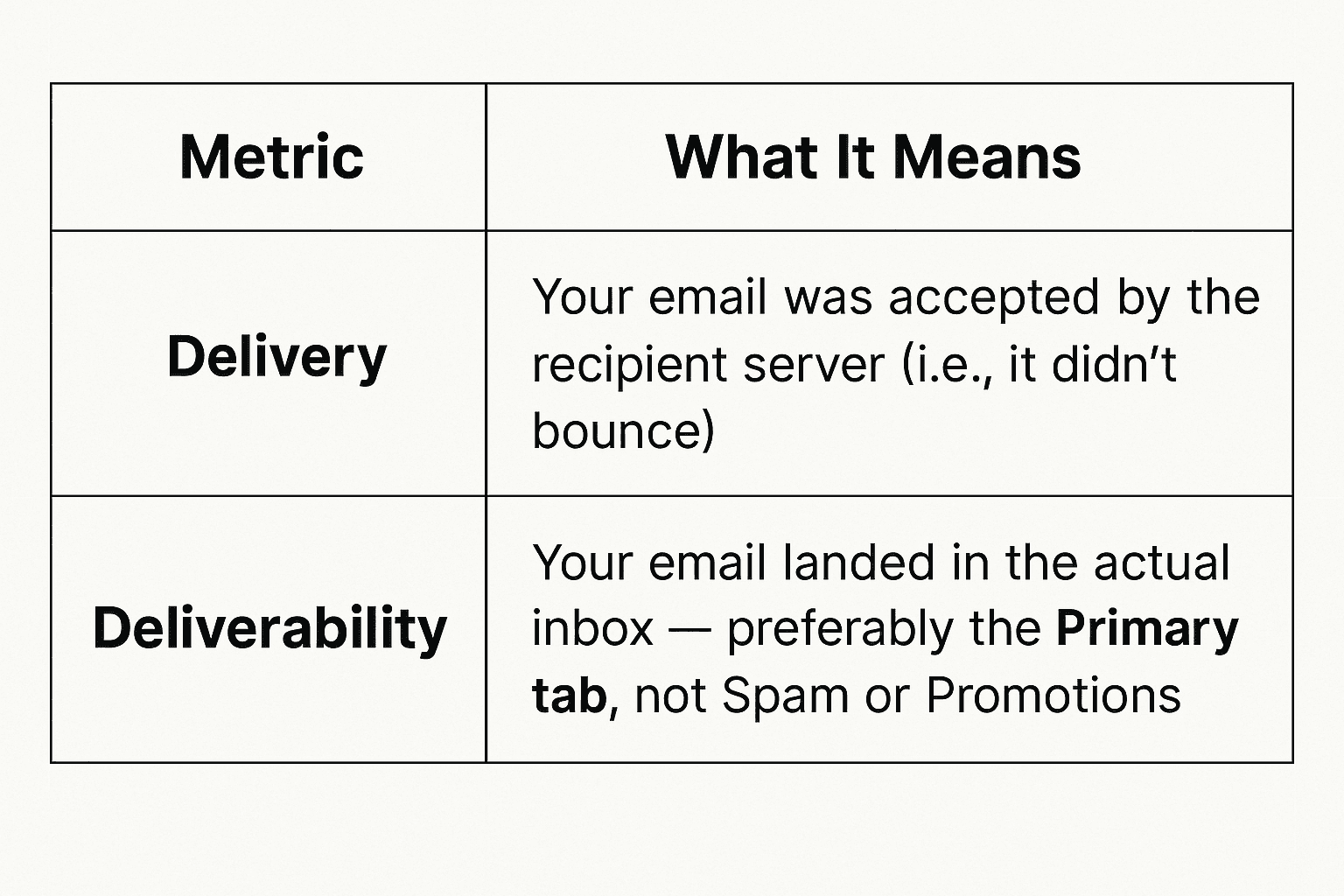
A message can be delivered but never seen. Because being delivered to the Spam folder, the Promotions tab, or corporate quarantine isn’t the goal.
Your goal is simple: visibility.
Why That “98% Delivered” Metric Is Misleading
Here’s why it doesn’t tell the whole story:
-
Spam and Promotions still count as 'delivered'
-
Silent drops (emails discarded by filters) are marked as delivered
-
False positives from bots loading images can inflate open rates
So if your outreach isn’t getting replies, your deliverability might be broken — even with a 98% delivery rate.
Mailbox providers care about trust. If you’re not authenticating properly, building your reputation gradually, or engaging your audience — you’ll end up flagged, filtered, or ignored.
What Actually Impacts Inbox Placement
There are multiple technical and behavioral signals that email providers look at when deciding where your email goes:
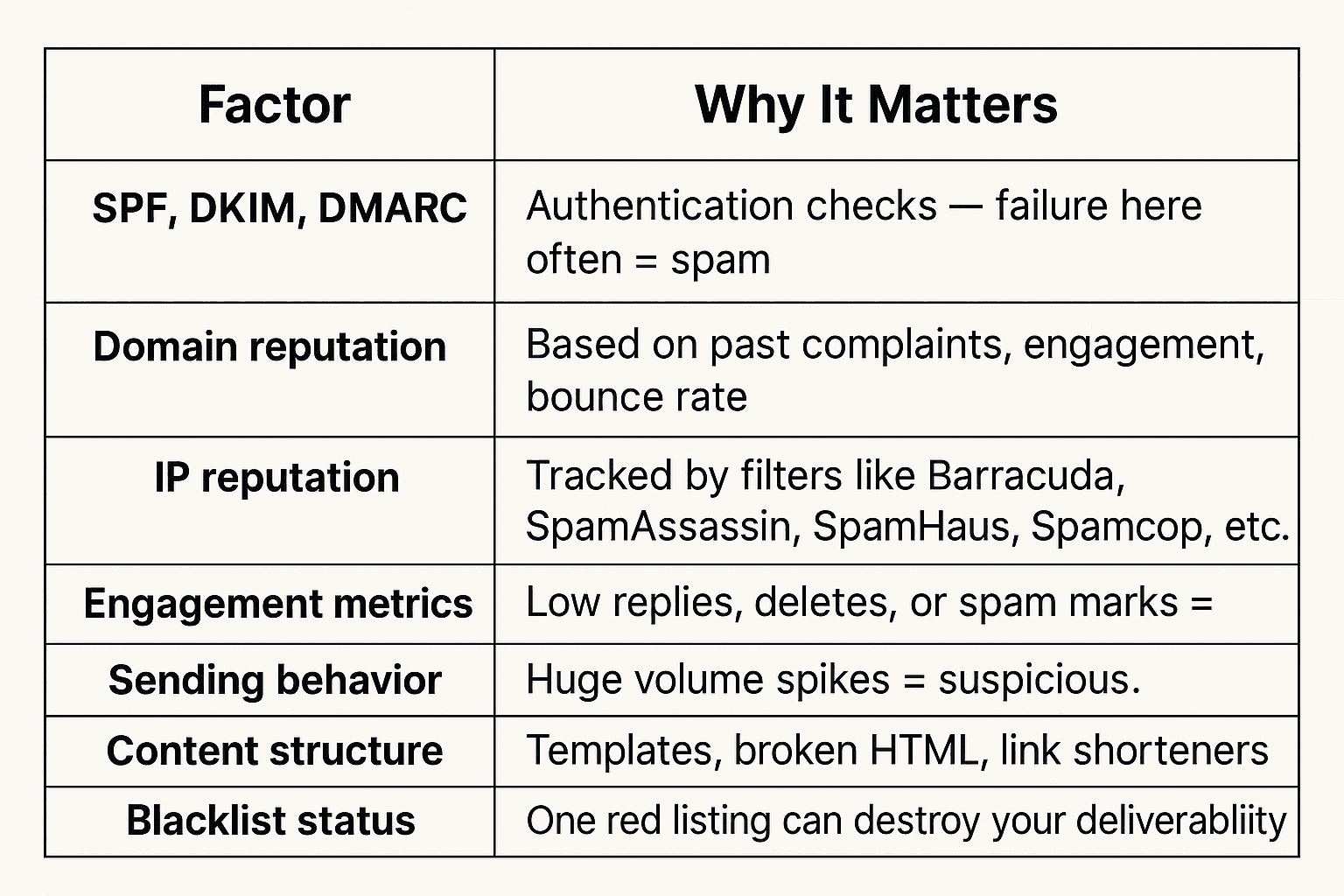
These are all evaluated before your copy is even read. The decision to inbox or spam you is made in milliseconds — and it’s not based on your “open rate.”
What You Should Be Tracking Instead
Let’s fix the metrics mindset. Here are the KPIs that actually matter:
1. Inbox Placement Rate (IPR)
-
What it is: % of emails that land in the Primary Inbox (not Promotions/Spam)
-
How to test it:
2. Reply Rate
-
Real human replies = you landed in a real inbox
-
Use this as your gold standard KPI for deliverability
3. Positive Reply Rate
-
Are people responding with interest, questions, or meetings?
-
Even "Not now" is better than silence — it means they saw you
4. Lead-to-Meeting Rate
-
Ultimate goal: Did your cold email create pipeline?
5. Domain & IP Reputation Monitoring
-
Use Google Postmaster Tools for domain health
-
Use Microsoft SNDS for Outlook sender rep (if you own the IPs or are using dedicated IPs)
-
Run blacklist checks on Talos Intelligence or MXToolbox
-
Use Mission Inbox’s rep dashboard to track trust signals daily
How to Fix Poor Deliverability
Step 1: Fix Your Infrastructure
-
Set up and align SPF, DKIM, and DMARC (use strict alignment settings)
-
Avoid using links entirely.
Step 2: Build Reputation the Right Way
-
Warm up new domains slowly
-
Send from aged domains if possible
-
Keep bounce rates below 2% and spam complaints near 0%
-
Avoid sudden sending volume spikes
Step 3: Send Better Emails
-
Ditch the templates — write like a human
-
Personalize beyond
{FirstName} -
Keep HTML minimal or send in plain text
-
Avoid phrases like “Act Now,” “FREE,” “Only 2 Left!”
-
Use Mission Inbox’s spam check engine to flag risky language, broken headers, or domain mismatches before you hit send
Deliverability Is a Strategy — Not a Metric
Here’s the real KPI equation:
Visibility → Engagement → Conversion.
If people don’t see you, they can’t reply. If they don’t reply, you won’t book meetings.
Forget vanity stats. Focus on:
-
Inbox rate
-
Reputation scores
-
Real human engagement
Ready to Fix Your Deliverability for Real?
Get clear, actionable insights into your inbox placement, reputation health, and sending infrastructure, all in one platform — Mission Inbox.
No more guesswork. Just better delivery.